Follow one complete product run
How a Gmail Thread Dispute Becomes a Decision Ready for Sign-Off
This narrated walkthrough uses actual English product captures and approved synthetic content. Watch it once, then use the six steps as your first-run checklist.
How a Gmail Thread Dispute Becomes a Decision Ready for Sign-Off →
Before your first decision: install and open Minerva
- Open the Marketplace listing with the Google account you use for Gmail. Choose Install, review the requested permissions and complete the Google prompts.
- Return to Gmail on your computer using the same account. Refresh Gmail, show the right-hand side panel and select Minerva Advisor.
- Open one thread you are authorized to process. Review the current-thread preview in the Minerva panel; begin with synthetic or low-sensitivity content.
- Use the panel’s action to create a Decision Project. In the web-based Decision Room, sign in with the same Google account and choose a new or existing project before starting analysis.
Only the thread you open and explicitly invoke Minerva on is read. Minerva does not search your mailbox or send email automatically; you review the decision and any reply.
Install from Google Workspace MarketplaceInstalling the add-on does not purchase a subscription. Review plans and payment terms separately in the product.
Can’t install or find Minerva?
Check that Marketplace, Gmail and Decision Room use the same account. If the icon is missing, refresh Gmail and expand its side panel. Your organization may require a Google Workspace administrator to allow or install the app. These steps describe desktop Gmail; mobile controls differ. Contact support if access is still blocked.
First-use path
Your first decision takes six moves—not a software course.
Start with one synthetic or low-sensitivity Gmail thread. Minerva reconstructs the situation first, then shows the executive only the few questions and choices that could change the recommendation.
Open one Gmail thread
One bounded decision context
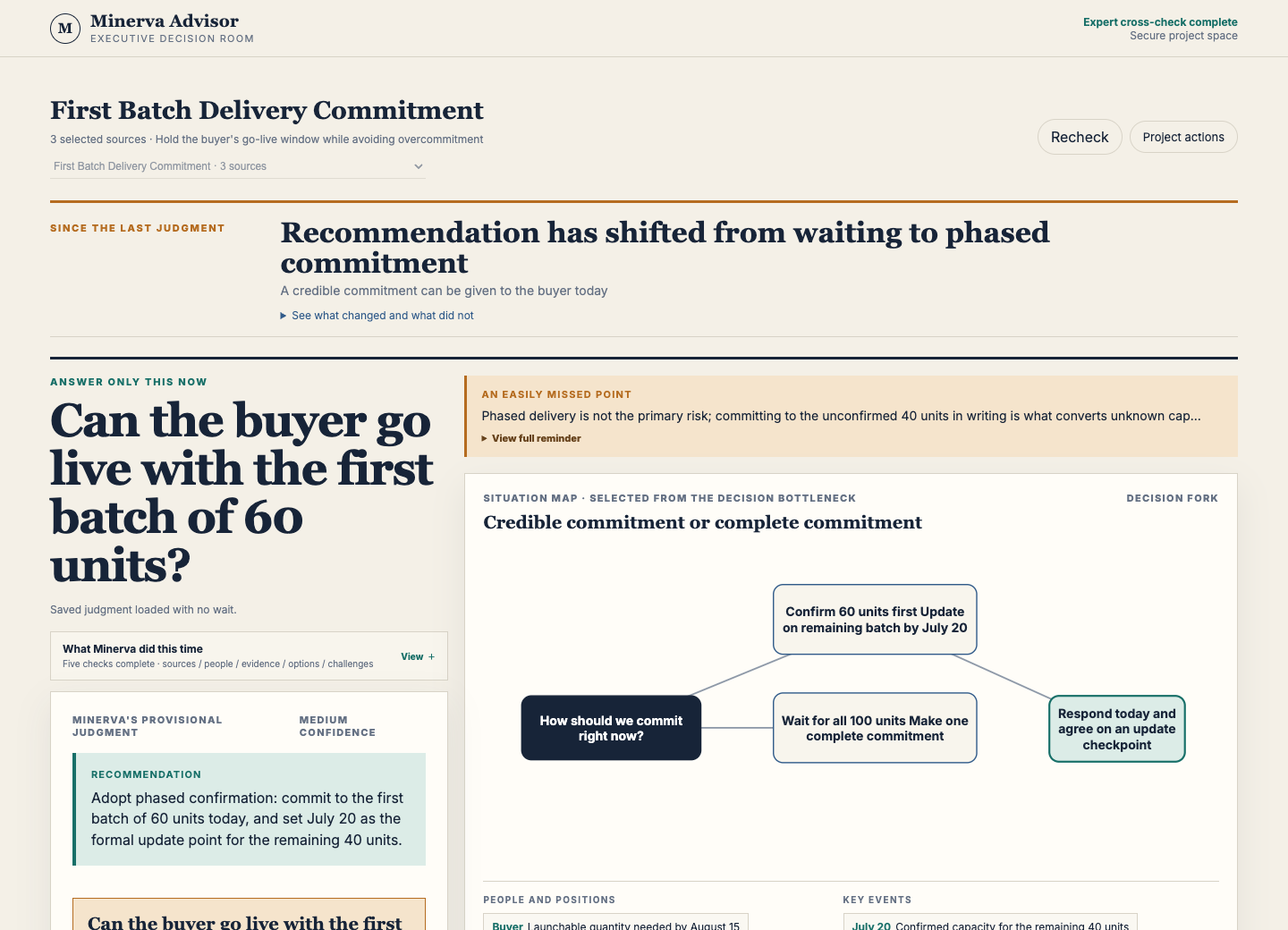
Read the situation before answering
People, events and the real decision
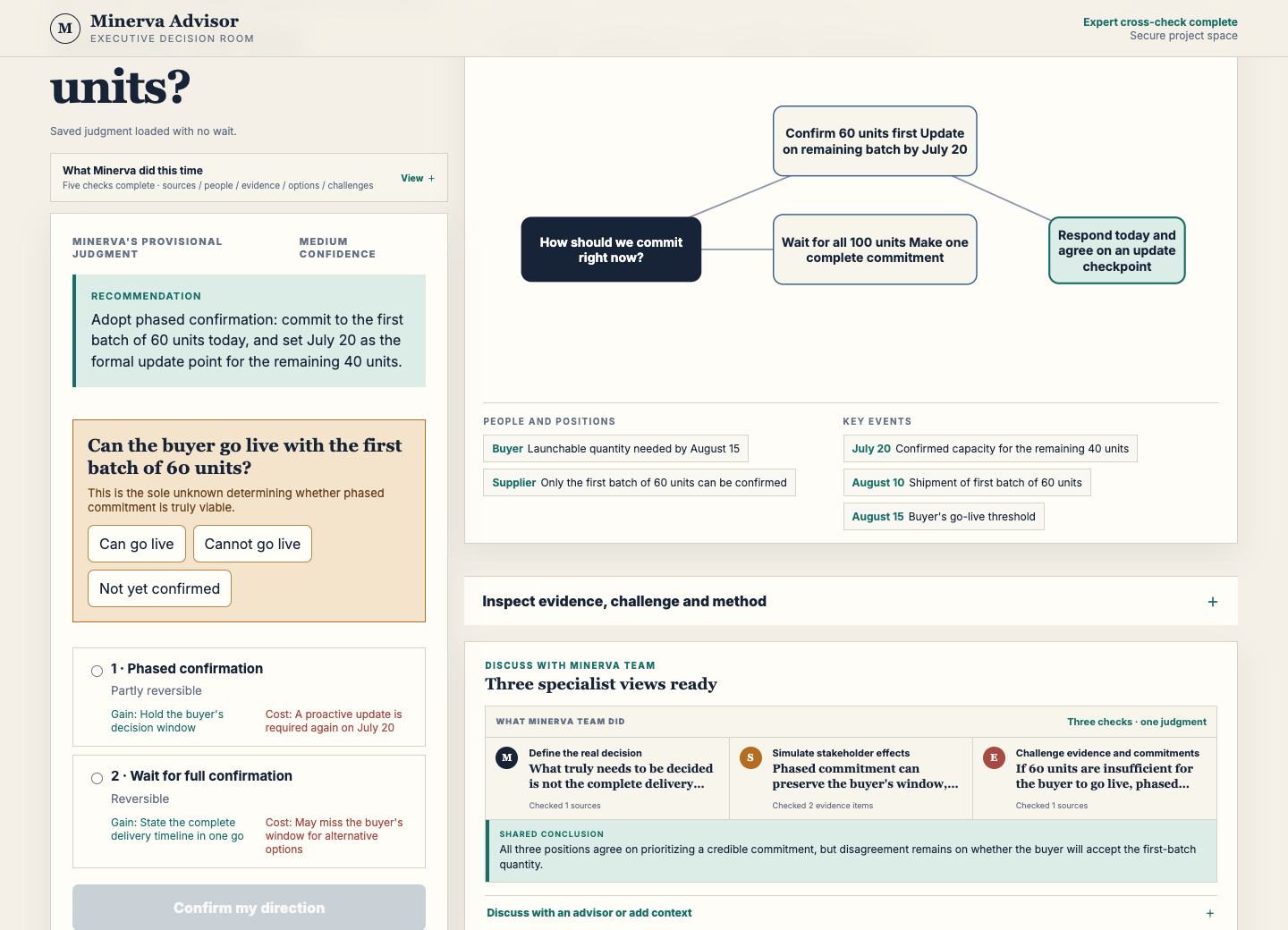
Hear the specialist disagreement
Three views and one shared judgment
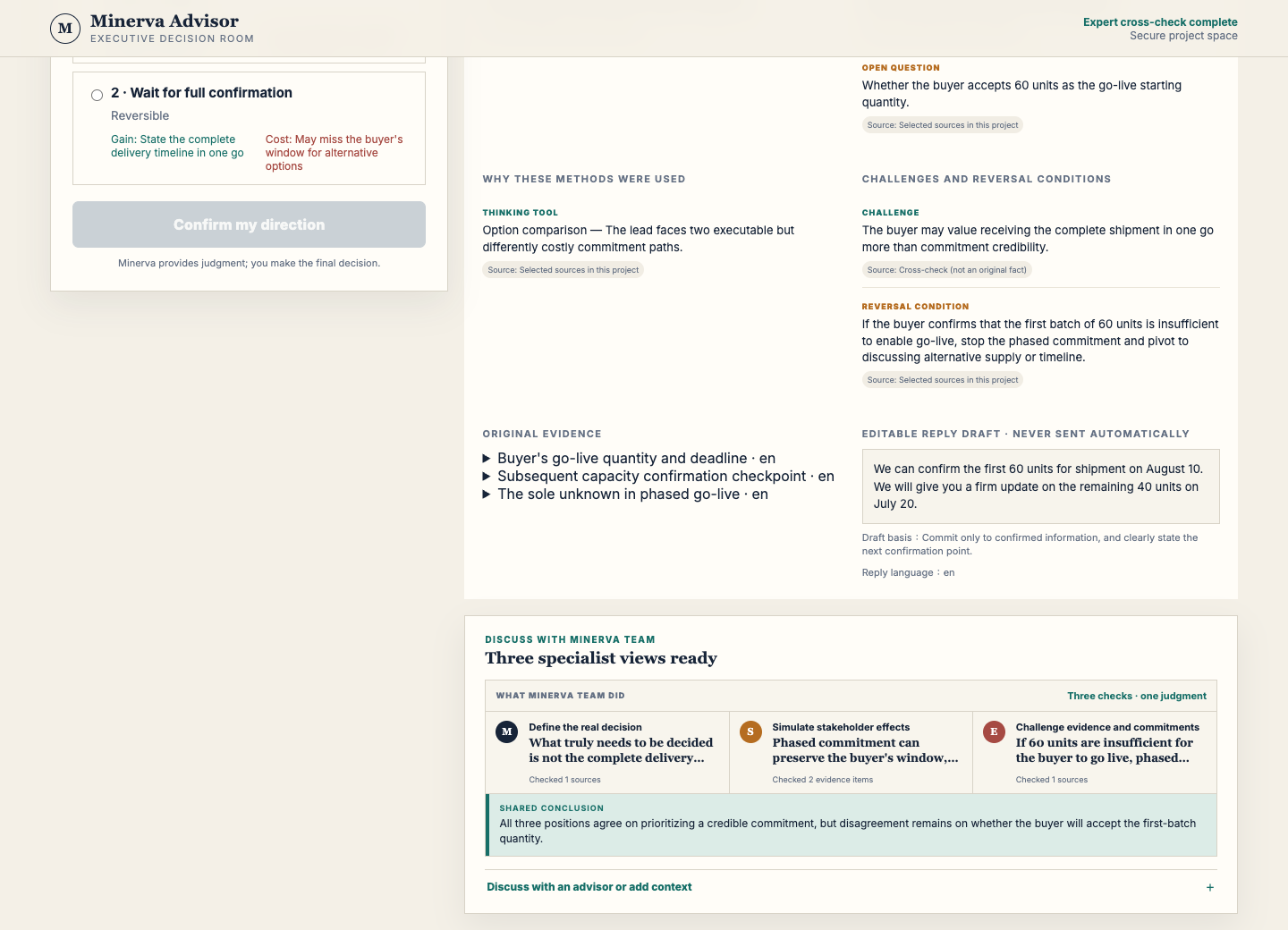
Resolve one high-value uncertainty
Only a question that changes the route
Choose, rewrite or reject the direction
A human-owned decision
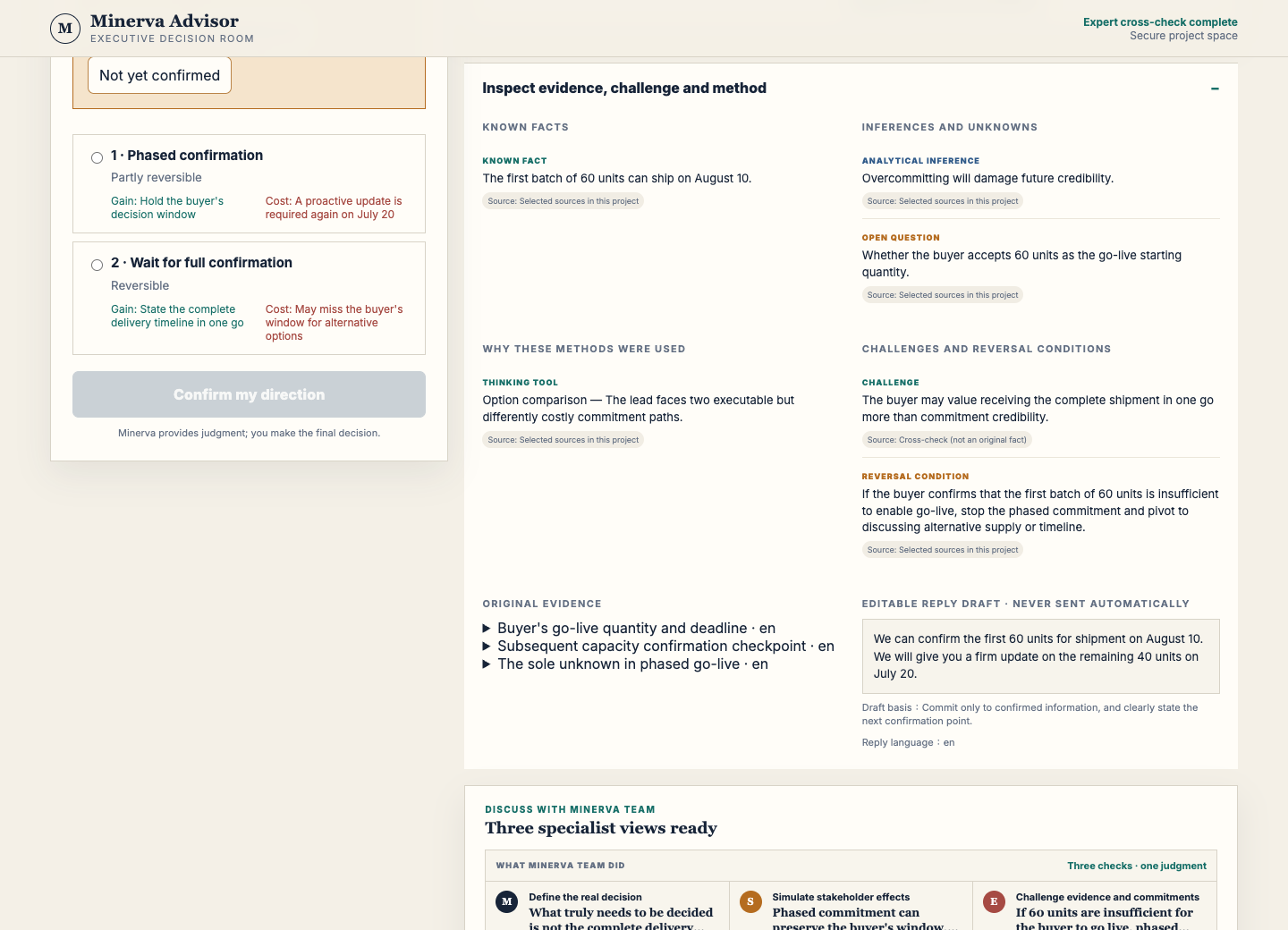
Turn the decision into a controlled action
Owner, next step, stop rule and editable reply

AI-generated illustration, not an actual customer scene or product screenshot. It does not demonstrate outcomes or imply endorsement.
Use safely the first time
- Use synthetic or low-sensitivity content.
- Remove passwords, tokens, payment data and unnecessary personal information.
- Do not invoke Minerva on a thread you are not authorized to process.
Your first run is complete when
- The people, events and decision question match the source.
- You can name the overlooked assumption and downside.
- You—not Minerva—confirmed or rewrote the action.
- The reply remains editable and unsent until you act.
Ready for your first decision project?
Install Minerva, choose one bounded Gmail thread and use this page beside the Decision Room.
MINERVA DECISION READINESS REVIEW
Bring one decision you cannot afford to guess.
Minerva separates evidence, inference and unknowns, then shows options, the strongest objection and what would reverse the recommendation.
Start a Minerva Decision Readiness ReviewBring a real, de-identified decision. Google sign-in and product access are required; your plan and Decision Credits apply. You remain the decision-maker, and no email or external action is sent automatically.